
In this tutorial, you will learn about what is a file system and DBMS. And, the key differences between a file system vs DBMS.
What is a File System
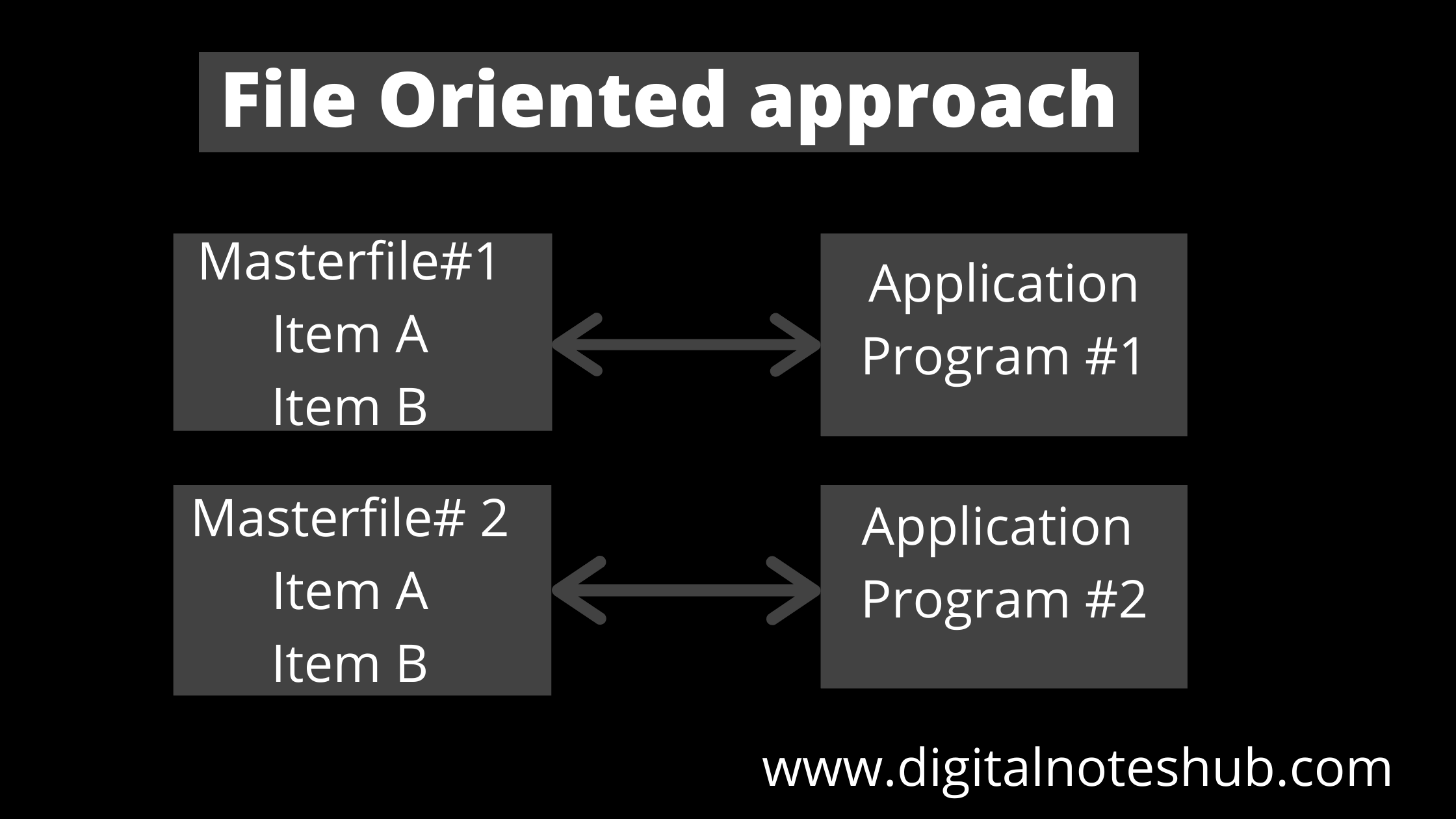
A file management system is a system that can access to single file or table at a time. Data is directly stored in a set of files. A file system is a method for storing and organizing computer files. The file system may use a storage device such as a hard disk or CD-ROM. The following diagram shows the file-oriented approach. There is no relation between these two master files.
What is DBMS
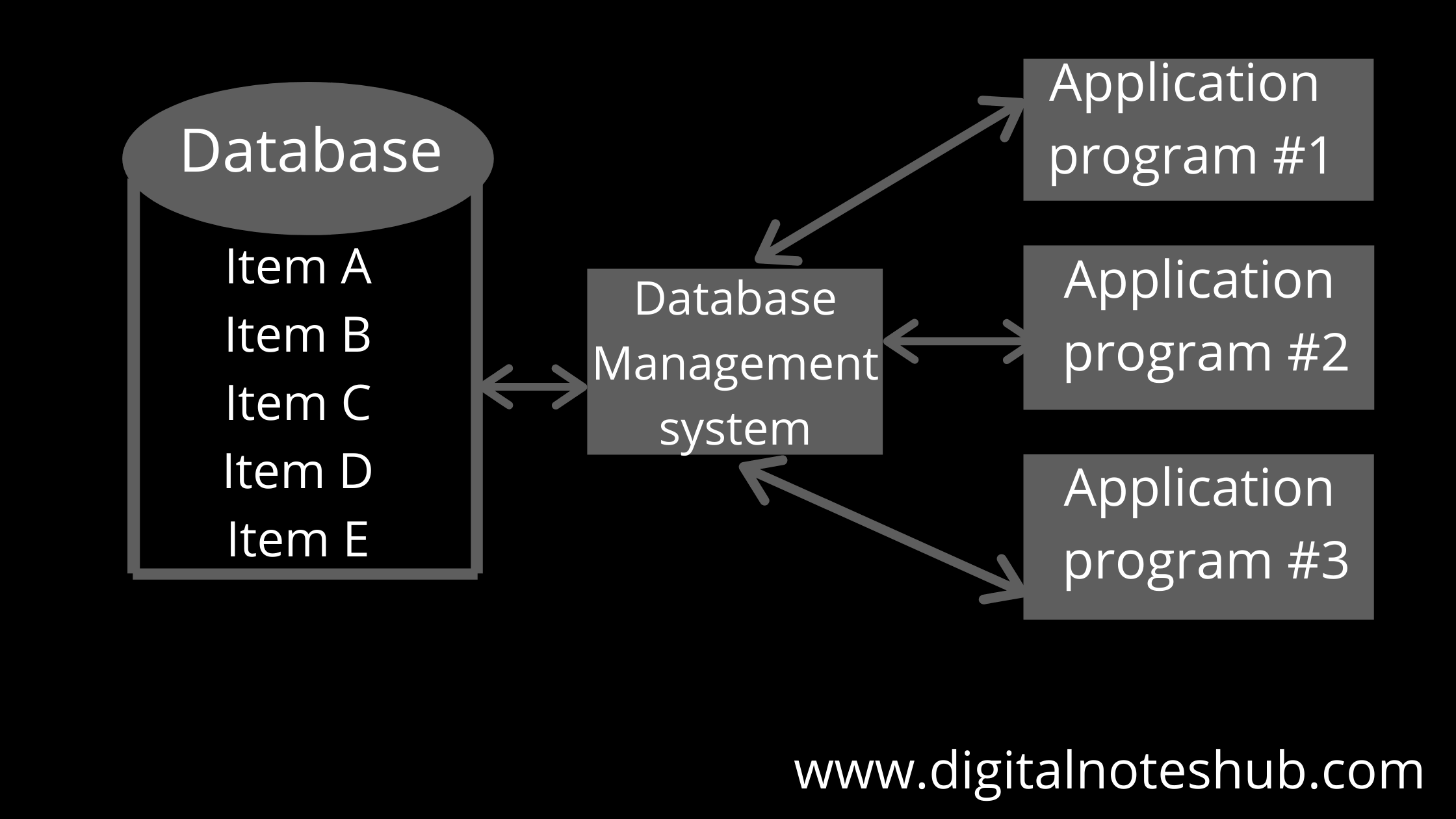
A DBMS (Database Management system) is a software system that allows users to define, create and maintain a database. It provides controlled access to the data. The commercially available DBMS in the market are Dbase, Foxpro, IMS, and Oracle. The following diagram shows the structure of a database management system.
File system vs DBMS
There are many differences between the file system and DBMS and some of them are given below:
| File System | DBMS |
| A File system is a method for storing and organizing computer files. | DBMS is a software system that allows users to define, create, and maintain a database. |
| The structure of the file system is simple. | DBMS has a complex structure. |
| In a file system, the problem of data redundancy can occur. | In DBMS there is no problem of data redundancy. |
| The file system is PC based. | DBMS is mainframe-based software. |
| There is no protection of data, so it has less security. | In a DBMS, security is high compared to a file system. |
| In a file system, data recovery and backup are not possible, if it is lost. | DBMS provides a mechanism for data backup and recovery if it is lost. |
| It is less expensive than DBMS. | DBMS is more expensive as compared to the file system. |
| Only a single user can access the file at a time. | It is a shared system, so, multiple users can access data at a time. |
| In a file system, it is difficult to access the data at the same time. | Accessing a database is easy in DBMS. |
Check Other DBMS Notes 👇
📝 What is Mapping in DBMS and its Types?